> For the complete documentation index, see [llms.txt](https://docs.clearfeed.ai/clearfeed-help-center/llms.txt). Markdown versions of documentation pages are available by appending `.md` to page URLs; this page is available as [Markdown](https://docs.clearfeed.ai/clearfeed-help-center/clearfeed-ai/ai-agents/session-logs.md).
# Session Logs
Session Logs give you full visibility into how an AI Agent handled past requests. They consolidate every interaction, making it easy to trace behavior, validate responses, and troubleshoot issues with complete context.
You can view logs for AI Agents invoked through:
* Automations
* ClearBot Assist
* Virtual Agent
* Agent Assistant
* Bot Mention
* Private Bot Mention
* Message Bar
Session Logs are accessible from the AI Agents page for each individual agent.
## Accessing Session Logs
1. Open AI Agents in ClearFeed.
2. Click the actions menu (⋯) for any AI Agent.
3. Select View Session Logs.
This opens the Session Logs page for that specific agent.
## Sessions List
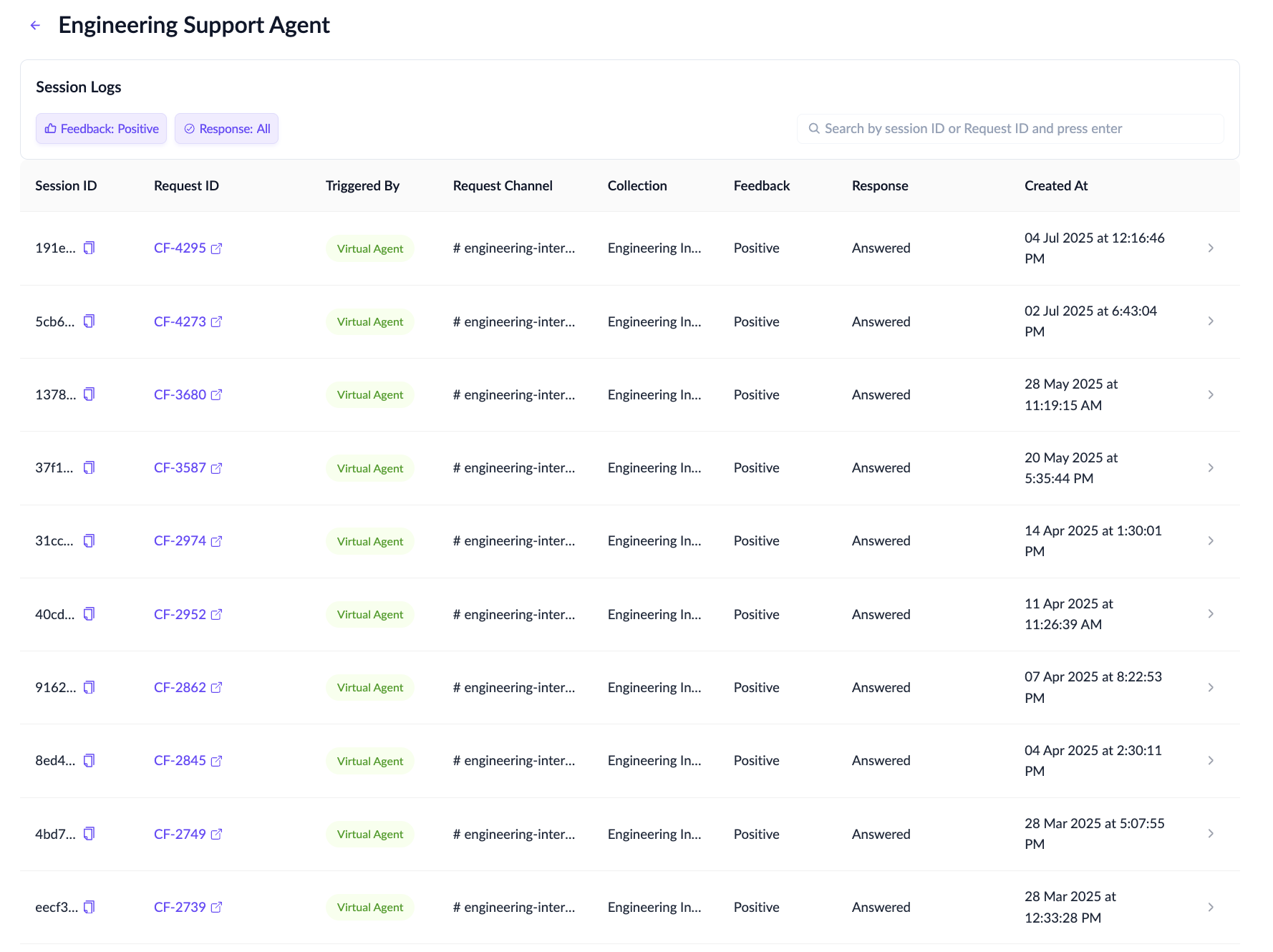
The Sessions List displays all recorded sessions initiated for the selected AI Agent.\
A session represents a complete execution cycle triggered by a user action, bot mention, or automation.
Each session entry includes:
* Session ID
* Trigger Type (e.g., bot mention, Assist AI, automation)
* Request ID (shown for ticketing or automation-driven executions)
* Request Channel
* Collection
* Feedback
* Resolution
* Timestamp indicating when the session began
Key actions:
* Search by Session ID
* Filter by Request ID
* Sessions are listed newest first
Each row can be expanded, allowing you to preview the execution summary without leaving the list.
## Session Details View
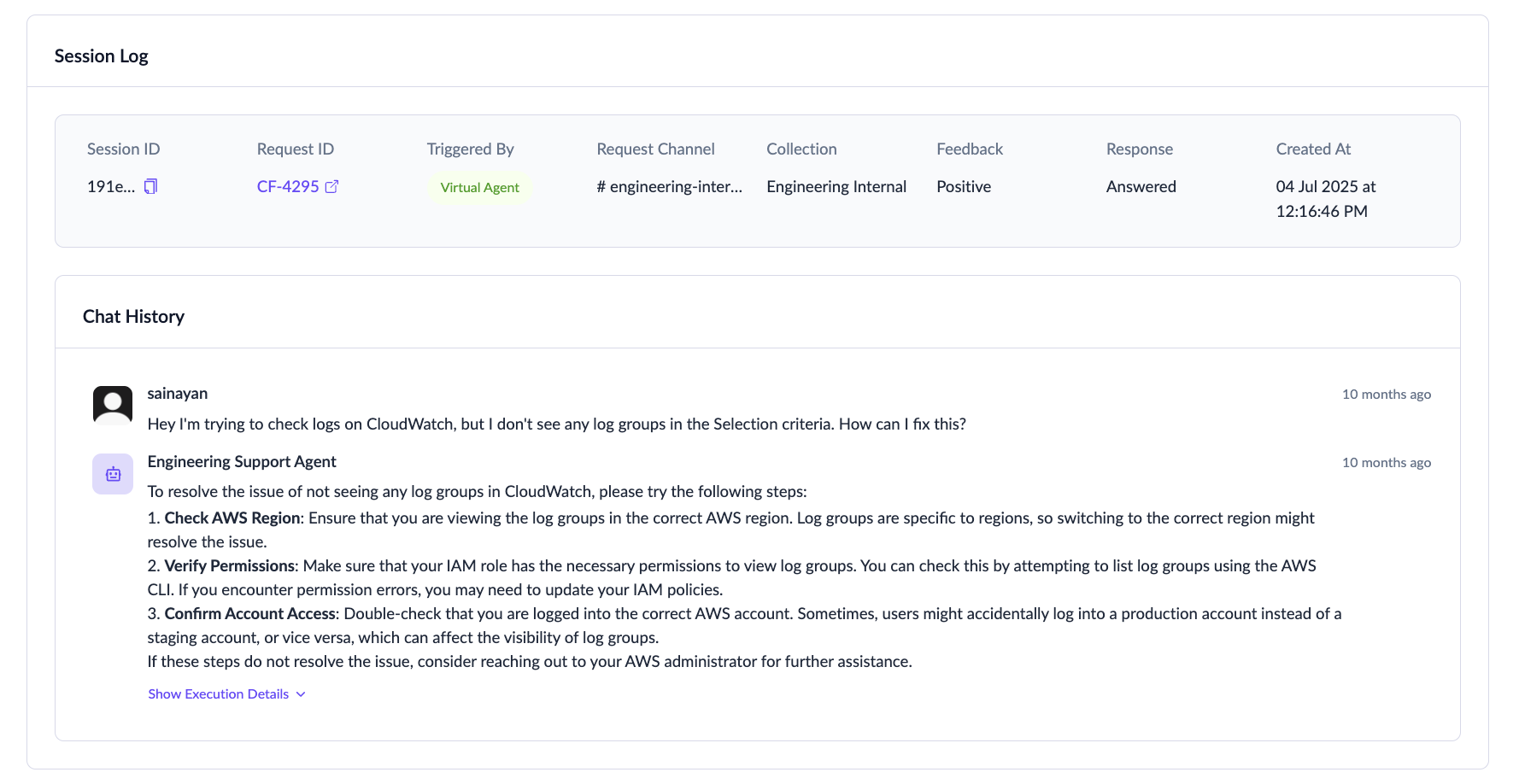
Selecting a session opens a detailed, chat-like view of the full conversation. This view mirrors how the agent processed the request, showing:
* Incoming prompts or triggers
* Responses generated by the AI Agent
* Execution points—where the agent invoked tools or performed actions
This layout helps you follow the interaction step-by-step, exactly as it unfolded.
## Execution Details
{% hint style="warning" %}
Execution details for sessions triggered via Message Bar and ClearBot Assist are not shown in Session Logs.
{% endhint %}
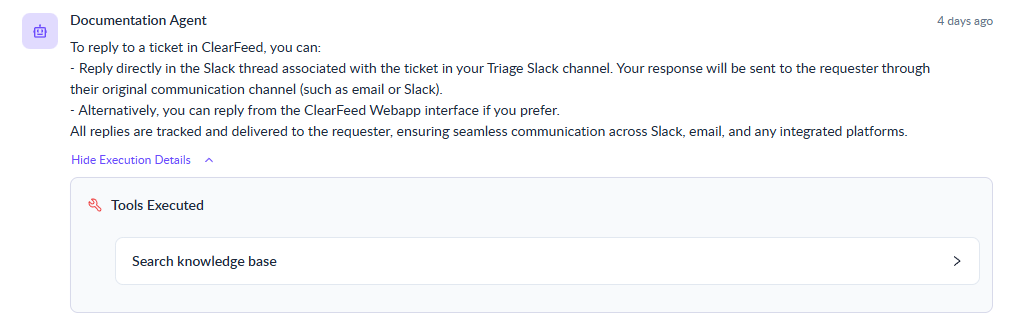
Every AI Agent response includes an expandable panel with the technical execution details. This includes:
* Tools executed
* Shows each tool or action the agent invoked
* Displays inputs provided and outputs returned
* Restricted query handling
* If the agent blocked or refused a request due to configuration restrictions, the reason is displayed
Together, the conversation history and execution details allow you to reconstruct the entire interaction from initial trigger to final outcome making it easier to debug behavior, validate workflows, and ensure your agent is performing as expected.