> For the complete documentation index, see [llms.txt](https://docs.clearfeed.ai/clearfeed-help-center/llms.txt). Markdown versions of documentation pages are available by appending `.md` to page URLs; this page is available as [Markdown](https://docs.clearfeed.ai/clearfeed-help-center/clearfeed-helpdesk/collections.md).
# Collections
Collections are the core way to organize and manage requests in ClearFeed.
A Collection defines:
* How requests are grouped
* Which rules apply to them, such as workflows, SLAs, assignments, automations, AI Agents, ticketing, and CSAT
* How your support team processes requests from intake to resolution
Every request in ClearFeed belongs to exactly one Collection, and the Collection determines how that request is handled across its entire lifecycle.
## Collection Models
How requests are grouped in your account depends on:
* Your Product Edition (External, Internal, Integrations), and
* Whether Customer Centric Inbox is enabled
ClearFeed supports two Collection models:
1. [Customer Collections (Customer Centric Inbox)](#customer-collections-customer-centric-inbox)
2. [Standard Collections (Source-based)](#standard-collections-source-based)
### Customer Collections (Customer Centric Inbox)
* Requests are grouped by customer
* Each Collection represents a set of customers
* All conversations, requests, and tickets for those customers are managed together
* Requests can originate from any source (Slack, email, portal, web chat, API, etc.), but they are organized primarily by customer
* This is the default model for new External edition accounts
### Standard Collections (Source-based)
Requests are grouped by where they come from. Each Collection represents one source, such as:
* Slack channels
* Microsoft Teams channels
* Support email addresses
* API
* Support Portal
* Web Chat
* ClearFeed App (DM / private requests)
All requests belonging to the same collection share the same configuration.
This model is used by:
* Internal edition accounts
* Integrations edition accounts
* External edition accounts where Customer Centric Inbox is not enabled
### How do I know which model my account uses?
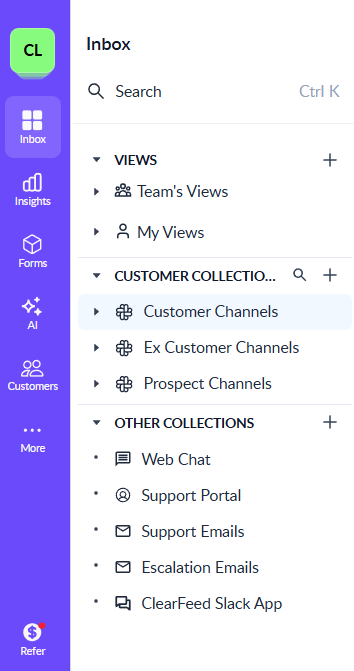
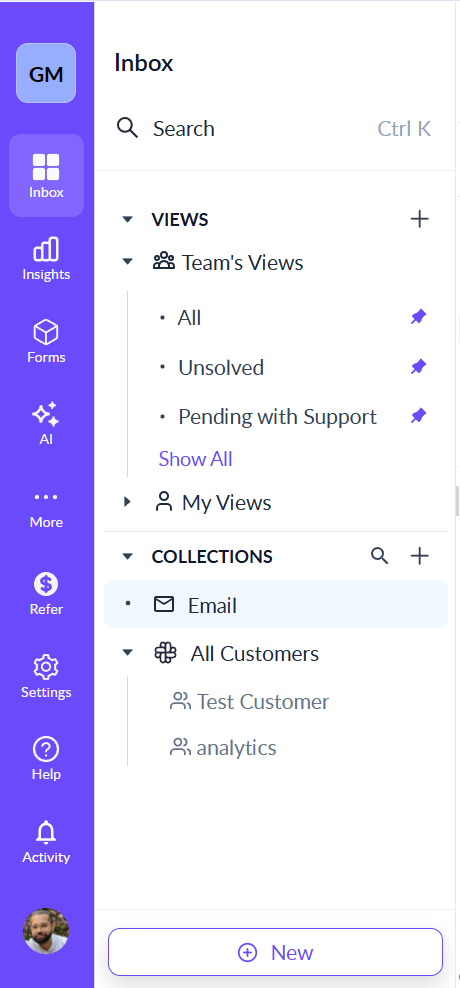
You are using Customer-Centric Inbox if:
* The left sidebar shows customers grouped under collections
* There is a system collection called All Customers
* Clicking a customer shows all their conversations and requests
How left sidebar appears when Customer Centric Inbox is enabled
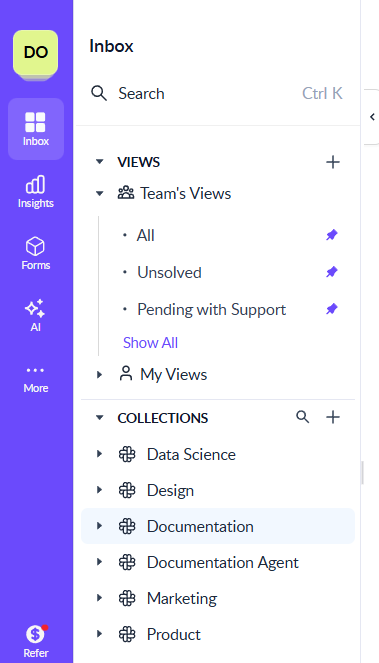
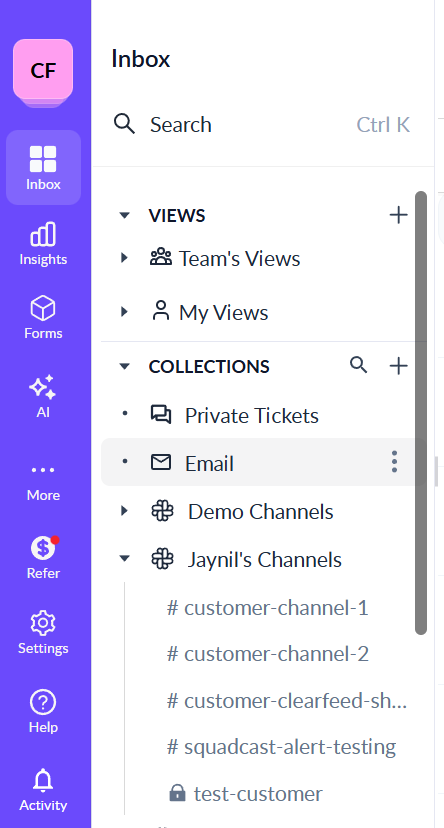
You are using Standard Management if:
* The left sidebar shows channels grouped under collections
* Customers are optional metadata and not the primary navigation
Left sidebar as shown in Standard Customer Management
If you are using External Product Edition and want to upgrade from Standard to Customer-Centric Inbox, contact .
### What’s common across both models?
Regardless of the model your account uses:
* Collections define how requests are handled using:
* Workflows
* SLAs and business hours
* Assignments
* Ticketing rules
* Automations
* AI Agents
* CSAT
* Collections are managed from the Inbox in the ClearFeed Web App
* Every request always belongs to exactly one Collection
* The exact settings available depend on:
* Your Product Edition
* The Collection model
* The Collection type (where applicable)
### Which guide should you read next?
* If your account uses Customer Centric Inbox → Go to [Customer Collections](/clearfeed-help-center/clearfeed-helpdesk/collections/customer-collections.md)
* If your account uses Source-based grouping → Go to [Standard Collections](/clearfeed-help-center/clearfeed-helpdesk/collections/standard-collections.md)
These pages explain, in detail:
* How Collections work in your model
* How to create and manage them
* What “manage” and “delete” mean in your setup
* And how settings, routing, and rules behave in practice