# Kandji

ClearFeed’s Kandji integration enables IT teams to streamline Apple Device Management with Kandji -directly from Slack

## Supported Features

With the Kandji integration enabled, your IT team can use AI Agents to auto-respond to time off related queries like:

* List devices managed by Kandji with their details including name, model, OS version, serial number, and blueprint
* Get detailed information about a specific Kandji device
* Lock a Kandji-managed device. iOS devices require passcode to unlock, macOS devices require generated PIN
* Shutdown a Kandji-managed macOS device (macOS only)
* Restart a Kandji-managed macOS device (macOS only)
* Reinstall the Kandji agent on a managed device
* Reset/erase a Kandji-managed device
* Unlock the local user account on a Kandji-managed device
* Send an update inventory command to a Kandji-managed device to trigger check-in and refresh device information
* Set the name of a Kandji-managed device

## Integrate Kandji

To connect Kandji with ClearFeed, follow these steps:

* **Log in** to your Kandji account.
* Click on **Settings and** then click the **Access** tab.
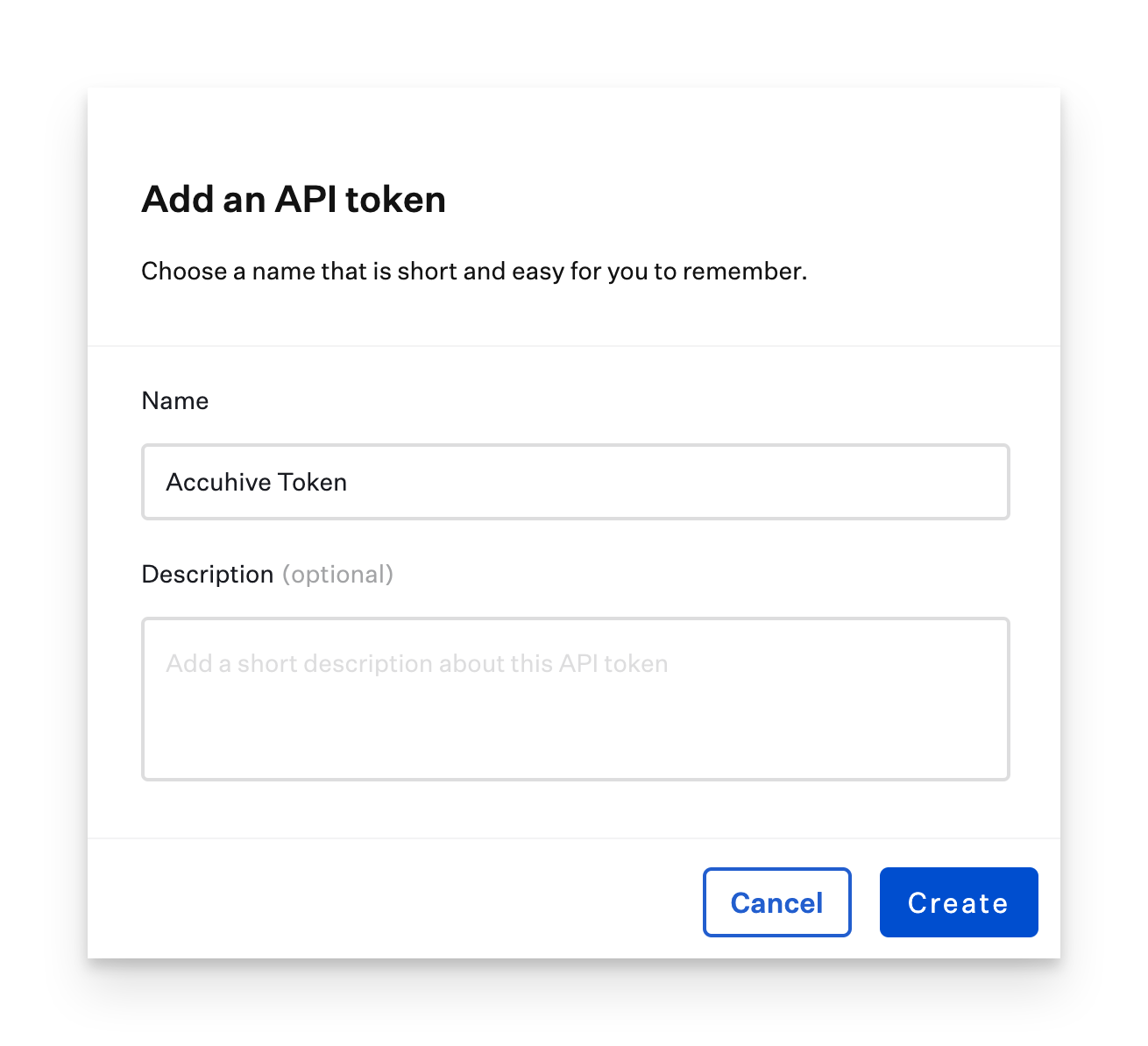
* Click the **Add API Token** button to create a new API key.

{% hint style="info" %}
Note: Make sure that the API key being created has access to list users in the account.
{% endhint %}

<figure><img src="https://cdn.document360.io/0844b095-d720-4a7b-bb17-ec97d9bc6e41/Images/Documentation/Kandji-Support-KB-0315PM@2x(1).png" alt="" width="563"><figcaption></figcaption></figure>

* Provide a **Name** and a **Description** for your API token.

  <figure><img src="https://cdn.document360.io/0844b095-d720-4a7b-bb17-ec97d9bc6e41/Images/Documentation/Kandji-Support-KB-0823AM@2x.png" alt="" width="563"><figcaption></figcaption></figure>
* Click **Create.**
* Kandji will display a modal with the API token. Use the **Copy Token** button to copy the generated API key.

  <div data-gb-custom-block data-tag="hint" data-style="warning" class="hint hint-warning"><p><em>Note: This key is only shown once. You won’t be able to retrieve it later.</em> </p></div>

  <figure><img src="https://3455705434-files.gitbook.io/~/files/v0/b/gitbook-x-prod.appspot.com/o/spaces%2FE2O2wTaNovd6fXpEuLKz%2Fuploads%2Fgit-blob-ded5e787a6e06bc5f3af845dbbfd2f018fdeb8e4%2Fimage%20(294).png?alt=media" alt="" width="563"><figcaption></figcaption></figure>
* Now, open the ClearFeed web app and go to **Settings → Integrations**.
* Select **Kandji** from the list of integrations.

  <figure><img src="https://3455705434-files.gitbook.io/~/files/v0/b/gitbook-x-prod.appspot.com/o/spaces%2FE2O2wTaNovd6fXpEuLKz%2Fuploads%2Fgit-blob-128a464a9b9e7e74fff4d74ecbb5c76be4f3c56f%2Fimage%20(295).png?alt=media" alt="" width="563"><figcaption></figcaption></figure>
* Enter the **subdomain** of your Kandji account.

<figure><img src="https://3455705434-files.gitbook.io/~/files/v0/b/gitbook-x-prod.appspot.com/o/spaces%2FE2O2wTaNovd6fXpEuLKz%2Fuploads%2Fgit-blob-c19a243b5df63849cc25b9d9af6aa6e7e92ab532%2Fimage%20(296).png?alt=media" alt="" width="490"><figcaption></figcaption></figure>

* Select the region where your account is hosted
* Paste the copied **API key** and click **Connect**.
* Upon successful authentication, you’ll see a confirmation message indicating the succesful connection.

## Using the Integration

Once the integration is set up, you can configure AI Agents in ClearFeed to handle Kandji-related actions:

1. Set Up AI Agent with Kandji as an Integration - Follow [this guide](https://docs.clearfeed.ai/clearfeed-help-center/clearfeed-ai/ai-agents/build-ai-agents) to Create a new Agent.

   <div data-gb-custom-block data-tag="hint" data-style="warning" class="hint hint-warning"><p>Make sure to add Kandji as an Integration and define which specific actions can the AI Agent take in Kandji on its own. Write your own prompt or customize the default one and test before rolling out.</p></div>
2. Manage Requests in Slack: Once deployed, ClearFeed offers below modes to manage requests:
   1. **Agent Assistant in Triage Threads -** In triage channels, use ClearBot Assist to tag `@clearfeed` to perform actions in Kandji
   2. **Virtual Assistant -** Let the AI Agent deflect common queries posted in your internal Slack channels. When a user asks a question, the Virtual Agent responds instantly, pulling help documentation.