> For the complete documentation index, see [llms.txt](https://docs.clearfeed.ai/clearfeed-help-center/llms.txt). Markdown versions of documentation pages are available by appending `.md` to page URLs; this page is available as [Markdown](https://docs.clearfeed.ai/clearfeed-help-center/clearfeed-helpdesk/responders.md).
# Responders
**Responders** are members of your organization who act as support agents or team members responsible for handling incoming requests.
With [multiple Slack workspaces](/clearfeed-help-center/sources/manage-request-channels/slack-workspaces.md), configure responders from the Collection's workspace. Secondary responders' replies count toward response-time SLAs, but do not trigger first-responder assignment. Being a Secondary responder does not grant WebApp access or make that profile assignable.
## **Responder Identification**
### **For Customer Support**
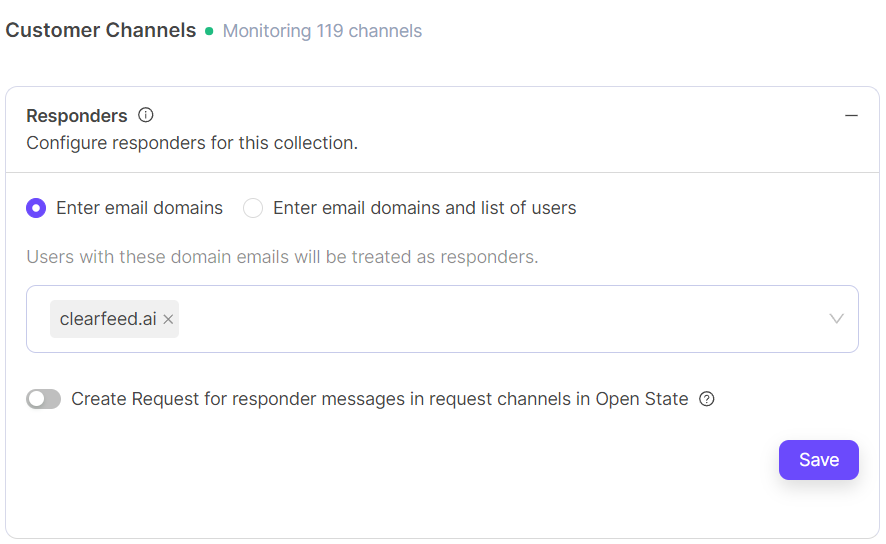
For External Helpdesk, you can add **email domains**, **individual Slack users**, or a **combination of both**. Each configured entry identifies a responder.
* **Email domains:** Add a domain (e.g., `@clearfeed.ai`). All Slack users with that domain are automatically considered responders.
* **Individual users:** Manually add specific Slack users from any domain as responders.
You can mix and match these options to flexibly define who counts as a responder for your account.
### **For Supporting Employees using ClearFeed**
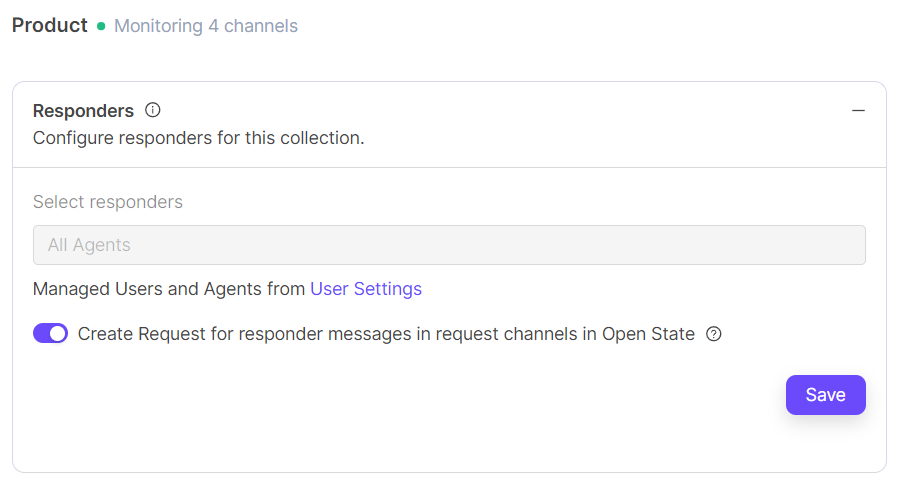
All users with the **Agent** role are considered responders by default. You can assign the Agent role to additional team members in the [**Users**](/clearfeed-help-center/account-setup/manage-users.md) section.
### **For Supporting Employees using External Integrations**
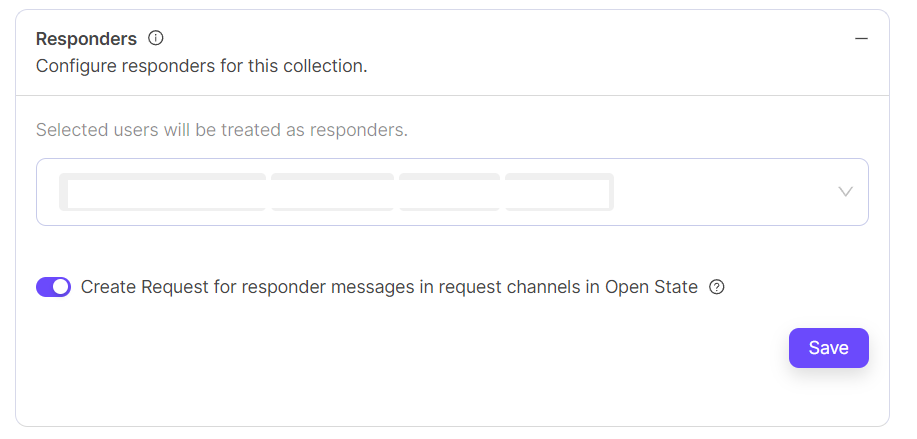
You can directly search and add Slack users as responders.
## **Controlling which messages create Requests**
When a new ClearFeed account is created - most messages in request channels create requests (regardless of whether agents/responders post a message). While Announcements do not create requests, but replies to announcements by customers also create requests. Some messages maybe filtered based on their content and do not create requests. (See also: [How to suppress request creation](/clearfeed-help-center/advanced-recipes/how-to-suppress-request-creation.md))
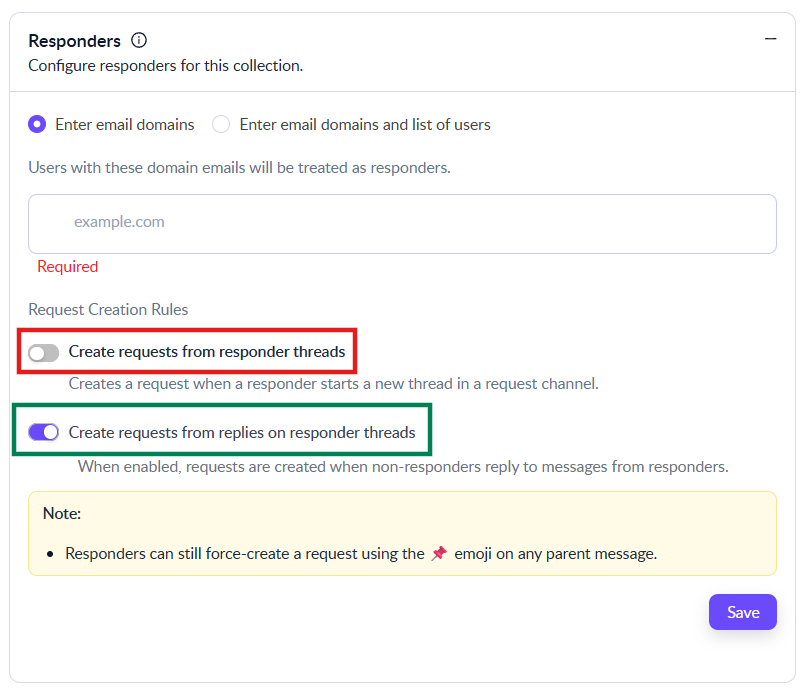
Request creation can be suppressed based on the role of the user and these controls are provided in the Responder Settings:
* When **Create requests from Responder messages in request channels** is toggled **ON**, any message from a responder in a request channel automatically creates a new request in the **Open** state.
For teams using ClearFeed for Customer Support, we generally recommend keeping this setting **disabled (OFF)** so that internal responder messages (e.g., from your own domain such as `@yourcompany.com`) do **not** automatically create requests. Turn it **ON** only if you explicitly want responder messages in customer/request channels to become requests by default.
For teams using ClearFeed for Internal Helpdesks, we generally recommend keeping this setting **enabled (ON)** since agents may also want to file requests from request channels. Ultimately, this is a preference setting—choose the behavior that best matches how your team uses request channels.
* If the previous option (**Create requests from Responder messages in request channels**) is turned off - replies by customers (ie. non-responders) to threads initiated by Responders still creates a requests. Users can suppress such requests by turning **OFF** the second toggle (**Create requests from replies on responder threads**). If this is turned off - threads initiated by Responders never create requests, even when customers reply to them.
We recommend keeping this setting to **enabled (ON)**
* Note that where messages are not converted into requests - either because of the settings above, or because they were old messages prior to ClearFeed being installed in the channel - they can be converted into requests manually by applying a `:pushpin:` emoji.
***
## Responder Replies and SLA Behavior
{% hint style="warning" %}
**Important:** Only messages from configured **Responders** (for internal helpdesk, typically users with the **Agent** role) are treated as **responder replies** for:
* Moving a request/ticket out of **Open** (e.g., to In Progress)
* Stopping or satisfying **First Response Time** SLAs
* Preventing response time based alerts
Replies from internal users who are **not** Responders/Agents are treated as requester/internal comments and **do not** change ticket state or stop SLA timers. If you want internal replies (e.g., from everyone in your company) to count as responder replies, talk to ClearFeed Support about using a **usage-based / channel-based** pricing model where responders can be defined by domain.
{% endhint %}