> For the complete documentation index, see [llms.txt](https://docs.clearfeed.ai/clearfeed-help-center/llms.txt). Markdown versions of documentation pages are available by appending `.md` to page URLs; this page is available as [Markdown](https://docs.clearfeed.ai/clearfeed-help-center/clearfeed-helpdesk/customers/crm-sync.md).
# CRM Sync
CRM Sync keeps customer data in ClearFeed aligned with your CRM. It supports HubSpot and Salesforce.
CRM Sync links ClearFeed customers to CRM records and imports selected CRM fields as customer custom fields. You can use the synced data in automations, SLAs, and supported Insights breakdowns.
{% hint style="info" %}
An account can sync with one CRM at a time. If HubSpot and Salesforce are both connected, ClearFeed asks which CRM to use when you enable CRM Sync.
{% endhint %}
If the same company has separate customer entries in different Slack workspaces, both entries can link to the same CRM company. CRM Sync keeps them separate. See [Customers across Slack workspaces](/clearfeed-help-center/clearfeed-helpdesk/customers.md#customers-across-slack-workspaces).
## Prerequisites
Before you enable CRM Sync, make sure that:
* HubSpot or Salesforce is connected to ClearFeed.
* You have Admin or Manager access in ClearFeed.
* The connected CRM user can read the records and fields that you want to sync.
CRM Sync reuses your existing HubSpot or Salesforce connection. You don't need to create another connection.
## How CRM Sync works
CRM Sync runs every 30 minutes and sends data one way, from the selected CRM to ClearFeed. The first sync runs immediately after you enable CRM Sync. Importing fields also starts a sync when CRM Sync is enabled.
ClearFeed uses these CRM objects:
| CRM | Primary object | Related object |
| ---------- | -------------- | -------------- |
| HubSpot | Company | Deal |
| Salesforce | Account | Opportunity |
### Automatic linking
ClearFeed links a customer to a primary CRM record by comparing the customer's domains with CRM record domains.
* If exactly one record matches, ClearFeed links the customer to it.
* If no record or multiple records match, ClearFeed doesn't create an automatic link.
* Customers without domains aren't linked automatically.
After linking the primary record, ClearFeed links the most recently created related record, if one exists. For HubSpot, this is a Deal. For Salesforce, this is an Opportunity.
You can create or change these links manually. See [Link a customer manually](#link-a-customer-manually).
### Field sync
After records are linked, ClearFeed copies selected CRM field values into customer custom fields.
* HubSpot fields come from Company and Deal records.
* Salesforce fields come from Account and Opportunity records.
* Imported fields are read-only in ClearFeed.
## Enable CRM Sync
1. Go to the **Customers** page.
2. On the **Overview** tab, find the sync toggle near **Add new customer**. It is labeled **CRM Sync** when both CRMs are connected but neither has been selected; otherwise, it is labeled **Salesforce Sync** or **HubSpot Sync**.
3. Enable the toggle.
4. If both HubSpot and Salesforce are connected, select the CRM to sync and click **Enable sync**.
When only one supported CRM is connected, ClearFeed selects it automatically.
{% hint style="info" %}
You can enable CRM Sync without importing fields. ClearFeed will establish customer-to-CRM links, but it won't populate custom field values until you import fields.
{% endhint %}
CRM Sync control for an account using HubSpot
## Import fields from your CRM
1. Go to **Customers > Custom Fields**.
2. Click **Import from CRM**.
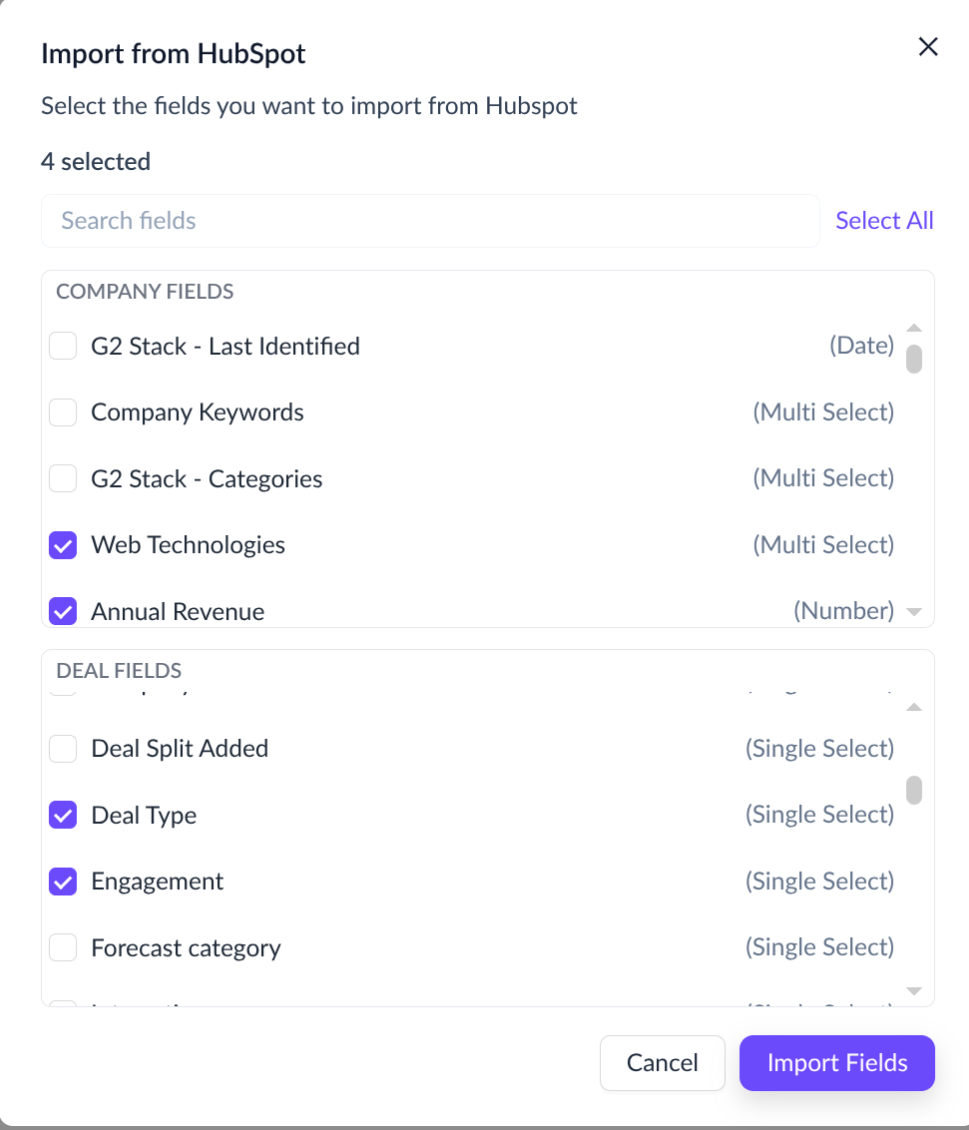
3. Select the fields to import. You can search the list or use **Select All**.
4. Click **Import Fields**.
5. Review your selection, then click **Start Sync**.
The import creates a ClearFeed customer custom field for each selected CRM field. Each new field retains its CRM source mapping and is read-only. Fields that were already imported are disabled in the picker to prevent duplicates.
Field import example for HubSpot
### Supported Salesforce field types
| Salesforce field type | ClearFeed field type |
| ---------------------------- | -------------------- |
| Text | Text |
| Number, currency, or percent | Number |
| Date | Date |
| Picklist | Select |
| Multi-picklist | Multi-select |
| Checkbox | Select (Yes/No) |
| User lookup | Select |
Formula fields and non-User lookup fields aren't supported. Other unsupported fields appear disabled in the field picker.
### Supported HubSpot field types
| HubSpot field type | ClearFeed field type |
| ------------------------------ | -------------------- |
| Single-line or multi-line text | Text |
| Number | Number |
| Date | Date |
| Dropdown or radio | Select |
| Checkbox | Multi-select |
| Yes/No | Select (Yes/No) |
File uploads, calculated fields, scoring fields, and some advanced field types aren't supported. **Deal Stage** can't be imported from the web app. Contact or your ClearFeed Slack support channel if you need help with an unsupported field.
## Review imported fields
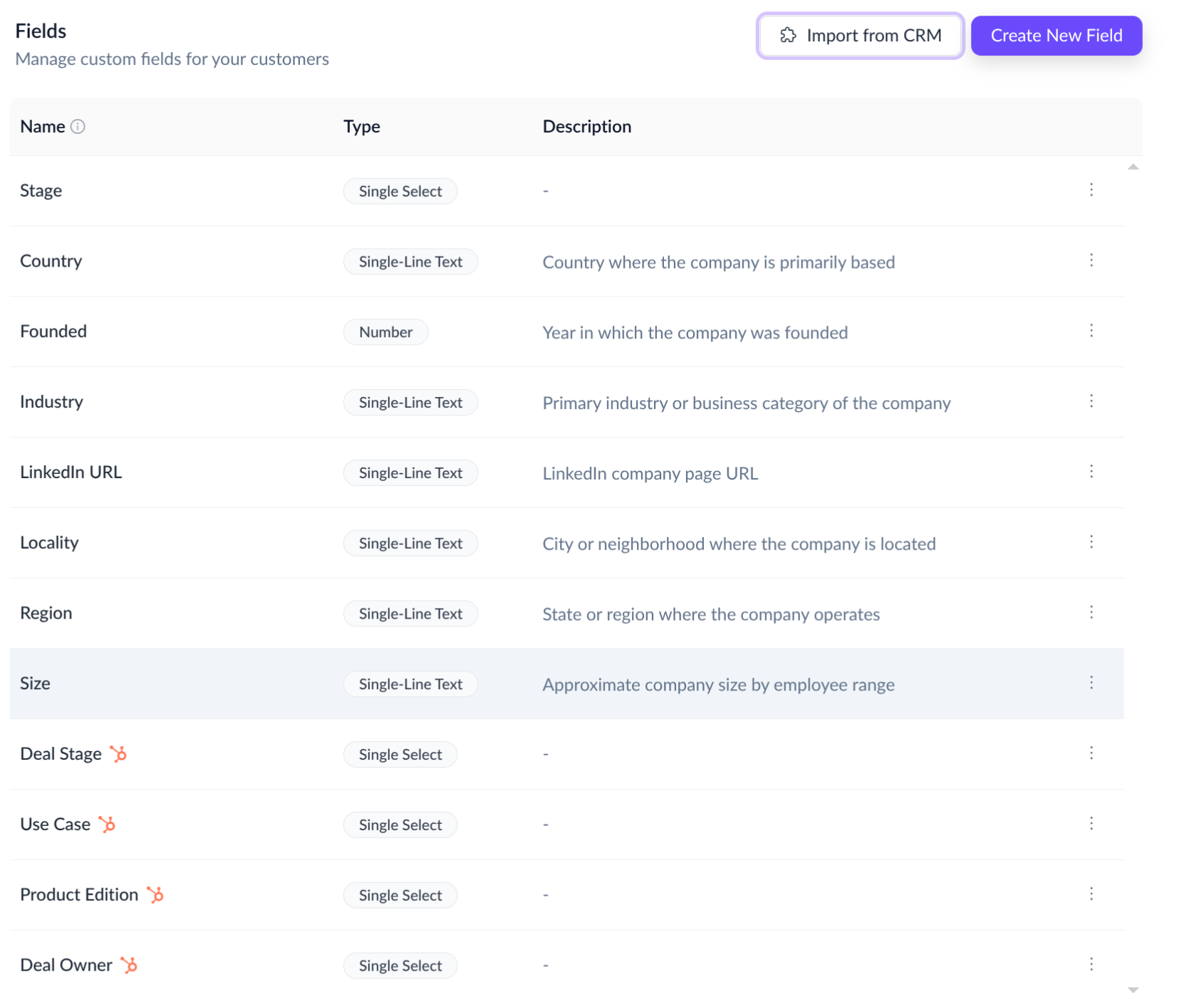
Imported fields appear under **Customers > Custom Fields** with an icon for their source CRM.
* Use the three-dot (**···**) menu to delete an imported field.
* Deleting a field removes it from ClearFeed and stops its CRM mapping.
* To stop syncing a field without deleting it, contact .
### Import more fields
Click **Import from CRM** again to import more fields. Fields that are already imported remain disabled in the picker.
### Select and multi-select options
ClearFeed copies select and multi-select options when you import a field. It doesn't refresh field names or option lists automatically when they change in the CRM.
Contact or your ClearFeed Slack support channel to refresh them.
## Link a customer manually
Use manual linking when ClearFeed can't find one domain match or links the wrong record.
1. Go to **Customers > Overview**.
2. Click the link icon for the customer.
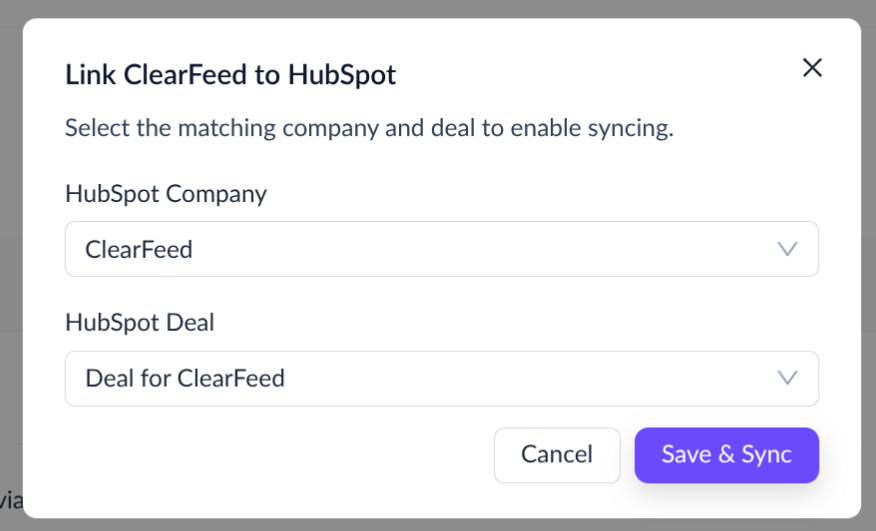
3. Search for and select the primary CRM record:
* **Company** for HubSpot
* **Account** for Salesforce
4. Optionally select the related record:
* **Deal** for HubSpot
* **Opportunity** for Salesforce
5. Click **Save & Sync**.
For HubSpot, ClearFeed imports values from the newly linked records immediately. For Salesforce, values update during the next scheduled sync.
Manual linking example for HubSpot
## Sync behavior
### New customers
When you create a customer with at least one domain, ClearFeed attempts to link it during the next sync by matching its domains.
### Customer domain changes
* Adding a domain causes ClearFeed to retry linking only when the customer isn't already linked.
* Removing a domain resets the existing CRM link. If any domains remain, ClearFeed tries to link the customer again during the next sync.
* Adding a domain to an already linked customer doesn't change the existing link.
### CRM record changes
* Field value changes appear in ClearFeed during the next sync.
* Changing a CRM record's domain doesn't change an existing customer link.
* ClearFeed doesn't automatically replace an established link. Change it manually when needed.
### Disabling CRM Sync
When you disable CRM Sync:
* New sync runs don't start. A sync already in progress can finish.
* Existing links and field values remain.
* Imported fields stay read-only.
* The field mappings remain available when you enable sync again.
## Use synced data in ClearFeed
### Customer records
View synced fields on the customer record and in the request detail sidebar. Synced fields can't be edited in ClearFeed.
### Automations
Use CRM-synced fields as automation conditions. For example, route high-value customers or assign requests by industry or segment.
### SLAs
Apply SLA policies based on synced customer fields, such as customer tier or annual recurring revenue.
### Insights
In Customer Inbox reports, use synced Select fields as breakdown dimensions. For request-count reports, use synced Multi-select fields with **Distribute by**. Customer custom fields aren't available as report filters.
## Limitations
* An account can sync with one CRM at a time.
* Sync is one-way from the selected CRM to ClearFeed.
* CRM Sync updates Customer custom fields only.
* ClearFeed links the most recently created Deal or Opportunity associated with the linked Company or Account.
* Imported fields remain read-only, even when CRM Sync is disabled.
* Field names and select option lists aren't refreshed automatically.
* Formula fields aren't supported for Salesforce.
## FAQs
1. **Can I use Salesforce for ticketing and CRM Sync?**\
**Answer:** Yes. CRM Sync reuses the Salesforce connection already configured in ClearFeed.
2. **What happens if both HubSpot and Salesforce are connected?**\
**Answer:** ClearFeed asks which CRM to use when you first enable CRM Sync. An account syncs with one CRM at a time.
3. **Can I edit CRM-synced fields in ClearFeed?**\
**Answer:** No. Imported fields remain read-only whether CRM Sync is enabled or disabled.
4. **Can I change which fields are synced?**\
**Answer:** Yes. Use **Customers > Custom Fields > Import from CRM** to add fields. Delete an imported field from its three-dot menu, or contact ClearFeed Support to remove only the sync mapping.
5. **What happens if a linked CRM record is deleted?**\
**Answer:** The ClearFeed customer keeps its existing link and last synced values. Update the link manually to resume field updates from another record.
6. **What happens if the CRM is disconnected?**\
**Answer:** Disconnecting the CRM removes its CRM Sync configuration. Reconnect the CRM, then enable CRM Sync again.
7. **How often does CRM Sync run?**\
**Answer:** CRM Sync runs every 30 minutes. The frequency isn't configurable.
8. **Can I trigger a sync manually?**\
**Answer:** Enabling CRM Sync starts a sync. Importing fields also starts a sync when CRM Sync is enabled. Saving a manual HubSpot link imports values immediately; Salesforce values update during the next scheduled sync.
9. **What if a customer isn't matched automatically?**\
**Answer:** Link the customer manually from **Customers > Overview**. See [Link a customer manually](#link-a-customer-manually).
10. **What happens when several Deals or Opportunities are associated with a customer?**\
**Answer:** ClearFeed links the most recently created related record. You can select a different record manually.
11. **Why are select options out of date?**\
**Answer:** ClearFeed imports option lists when the field is created but doesn't refresh them automatically. Contact ClearFeed Support to refresh them.