> For the complete documentation index, see [llms.txt](https://docs.clearfeed.ai/clearfeed-help-center/llms.txt). Markdown versions of documentation pages are available by appending `.md` to page URLs; this page is available as [Markdown](https://docs.clearfeed.ai/clearfeed-help-center/clearfeed-helpdesk/insights/trending-queries.md).
# Trending Queries
Explore recurring support questions, compare trends, and review answers drawn from your support conversations.
The Trending Queries feature helps you identify common support questions and understand how their frequency changes over time. Each query is an automatically generated FAQ: a question and answer linked to supporting requests.
{% hint style="info" %}
Trending Queries is available in Professional and Enterprise plans for Internal and External Helpdesk Product Edition. It is not available on the Integrations Product Edition.
{% endhint %}
Use Trending Queries to:
* Find the most common questions in your support conversations.
* Identify questions that are becoming more or less frequent.
* Review how your team has answered recurring questions.
* Prioritize improvements to documentation, onboarding, product experience, and AI-powered support.
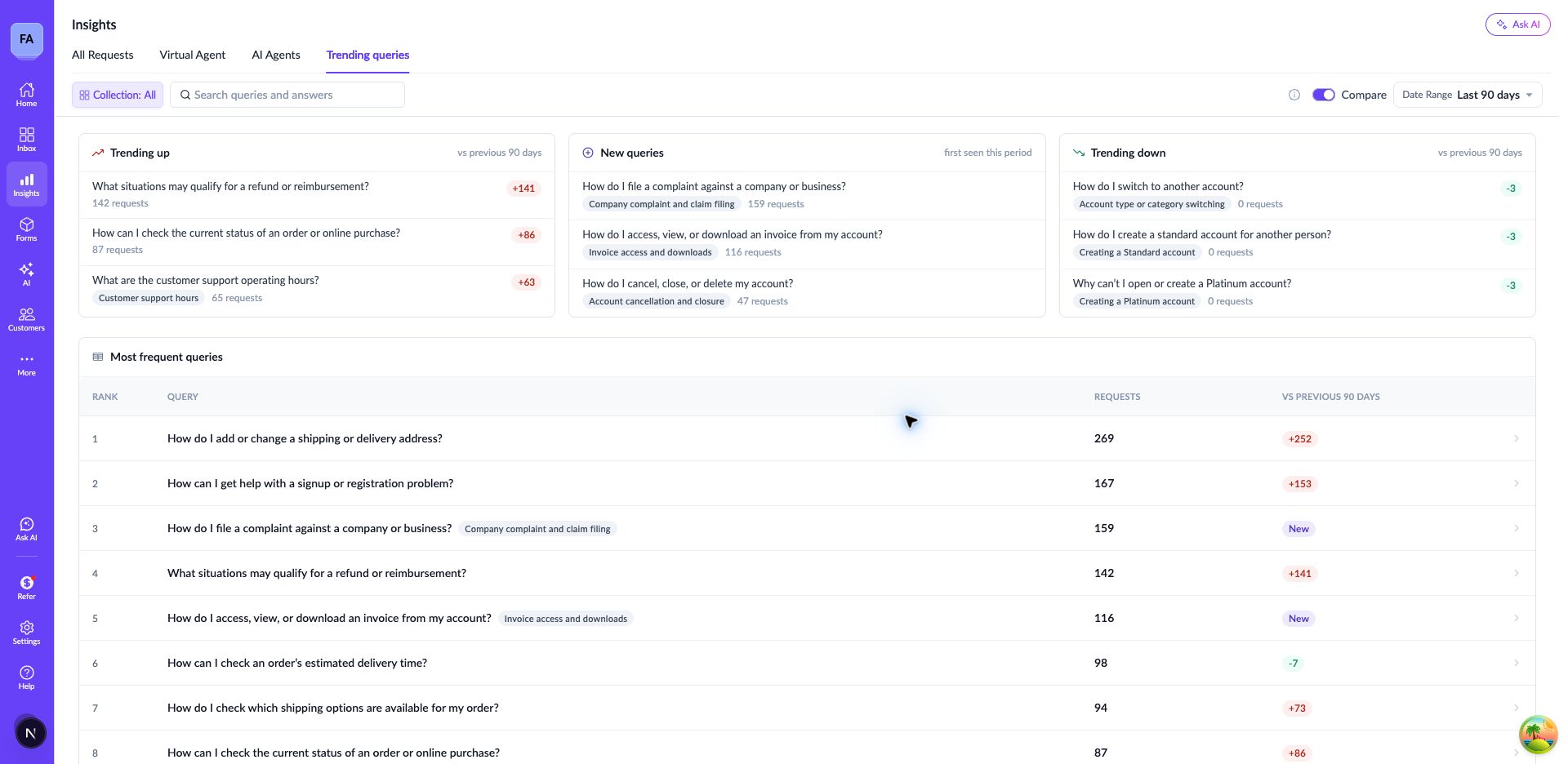
Trending Queries with a 90-day comparison.
## Enable Trending Queries
You can generate Trending Queries for your account from the ClearFeed web app.
1. Open [**Insights → Trending queries**](https://web.clearfeed.app/reports/faq/trending-queries).
2. Click **Generate trending queries**.
3. ClearFeed generates the report in the background. Preparing the report usually takes about an hour.
4. Return to the page and click **Refresh page** to check the result. Once generation completes, the report replaces the setup screen.
Generate your account's first Trending Queries report from Insights.
By default, the initial report analyzes requests from the past **90 days**. Requests must be at least **48 hours old** before processing. This gives support conversations time to develop, helping ClearFeed identify query intents more clearly.
This feature is only available for Professional and above Plans on the Internal and External Helpdesk Product Editions. If you are on a qualified Plan and Product Edition and cannot see the **Trending queries** tab, contact ClearFeed support to check availability for your account.
## How it works
Each trending query is a question-and-answer pair backed by a set of related requests. You can think of it as a support article drawn from your team's support conversations.
### Knowledge extraction
Support conversations can be noisy, and using their full text can make it harder to group related requests accurately. We use a large language model to extract the meaningful questions and answers from each conversation. This gives us structured information to work with when grouping requests and drafting FAQs.
### Grouping
We combine embedding-based clustering, which identifies questions with similar meanings, with LLM-based grouping to bring questions with the same intent together. Each group forms the basis of an FAQ and retains links to its supporting requests.
### Drafting
We use the evidence in each group to draft an FAQ in the style of a support article. The title captures the shared question, and the answer draws on the guidance and resolutions support agents provided in the linked requests.
### Periodic updates
After the initial report is ready, ClearFeed automatically updates your account's FAQs **roughly once a day**. You do not need to generate the report again. Updates process new eligible requests, using the same default **48-hour** processing delay.
During each update, ClearFeed:
* Links matching questions to existing FAQs
* Keeps an existing answer unchanged when new conversations support the same guidance.
* Updates an answer when new conversations add information or replace outdated guidance.
* Creates new queries for questions that are not covered by existing FAQs.
## Customization
Account-level instructions let you tailor how ClearFeed extracts, groups, and drafts queries for your team.
| Customization | What it controls | Example instruction |
| ---------------- | ------------------------------------------------------------------ | ------------------------------------------------------------------------------------------------------------- |
| Helpdesk context | Background about your product, audience, and support team. | “We support workspace administrators using our product with Slack.” |
| Exclusion rules | Conversations to exclude from knowledge extraction. | “Exclude sales conversations, spam, greetings, and ticket-specific status updates without reusable guidance.” |
| Grouping rules | When questions should belong to the same query or remain separate. | “Keep API setup separate from no-code setup. Combine error messages only when they have the same resolution.” |
| Drafting rules | The style, audience, and length of generated answers. | “Write for workspace administrators. Keep each answer concise and no longer than two paragraphs.” |
These instructions apply when ClearFeed generates the initial set of queries and processes subsequent updates.
## Explore Trending Queries in Insights
Open **Insights → Trending Queries** to browse recurring questions. The table lists queries in descending order of request count for the selected period.
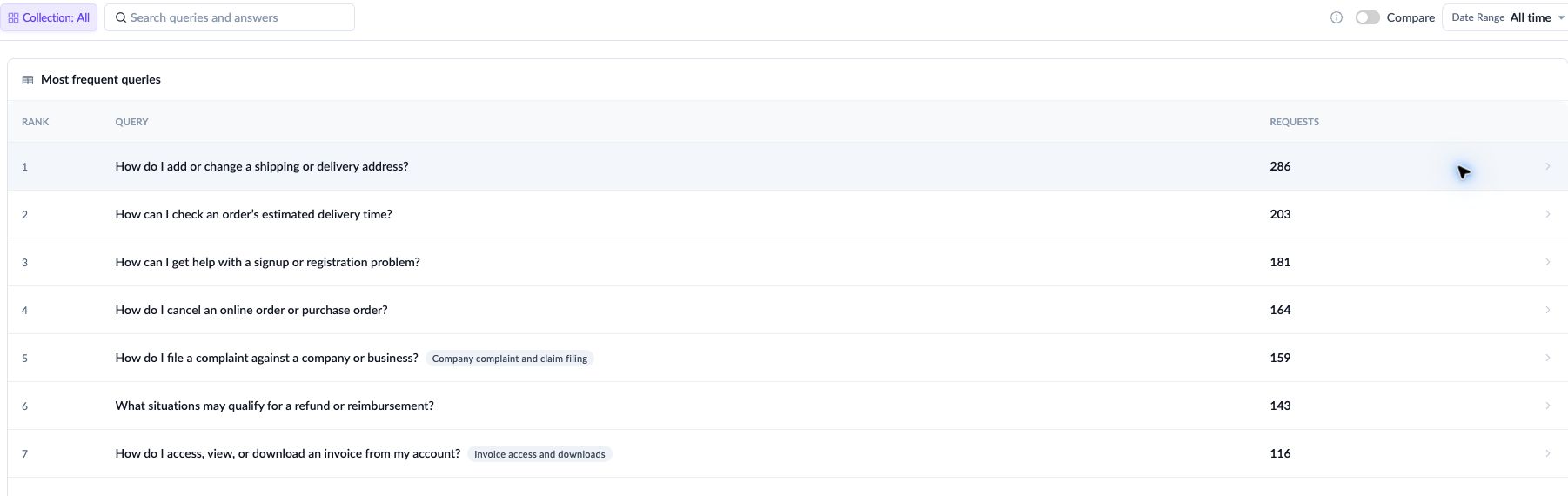
### All-time view
Use the all-time view to find the most frequent queries across all the support data processed for your account. This is useful when deciding which topics need documentation or onboarding improvements.
### Date ranges and comparison view
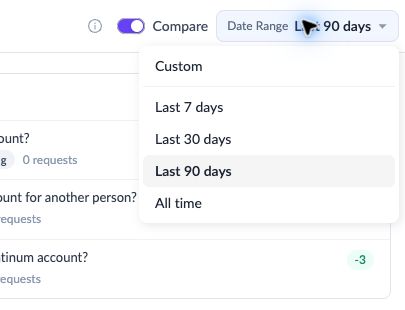
Select the last **7, 30, or 90 days** to focus on recent requests. You can also select a custom date range.
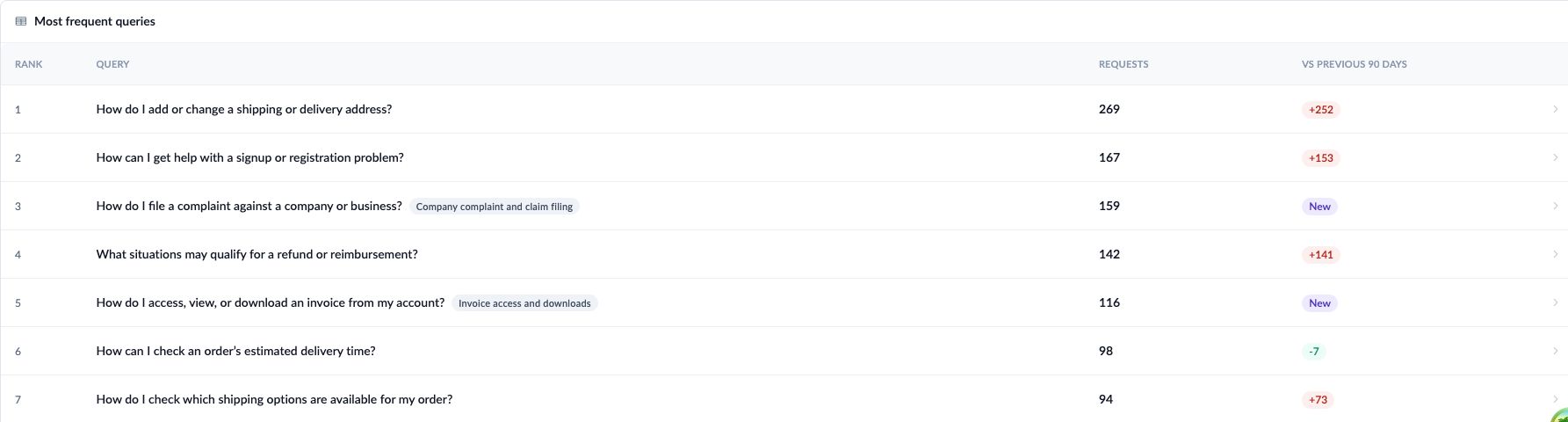
For a 7-, 30-, or 90-day range, the comparison view compares request counts with the immediately preceding period of the same length. For example, a 7-day comparison measures the selected seven days against the seven days immediately before them.
| Measure | Meaning |
| ----------------- | ------------------------------------------------------------ |
| Current count | Unique requests linked to the query in the selected period. |
| Previous count | Unique requests linked to the query in the preceding period. |
| Absolute change | Current count minus previous count. |
| Percentage change | The change relative to the previous count. |
For example, a query with 15 requests this period and 10 in the previous period has increased by 5 requests, or 50%.
With **Compare** enabled, queries can show these labels in place of a numeric change:
| Label | Meaning |
| ---------- | ----------------------------------------------------------------------------------------------------------------------------------- |
| Flat | The query has the same request count in both periods. |
| Reappeared | An older query has requests in the current period but had none in the preceding period (so it has reappeared in the current period) |
| New | The query's earliest linked request, under the active filters, falls within the selected period. |
### Highlights
Highlights summarize changes for the selected 7-, 30-, or 90-day period when **Compare** is enabled and the search field is empty. Each group shows up to three queries.
| Highlight | Meaning |
| ------------- | -------------------------------------------------------------------------------------------------- |
| Trending up | Queries with more requests than in the preceding period. |
| Trending down | Queries with fewer requests than in the preceding period. |
| New | Queries whose earliest linked request, under the active filters, falls within the selected period. |
{% hint style="info" %}
A query with no requests in the previous period is not necessarily new. If it has older linked requests and occurs again in the current period, it is labeled \*\*Reappeared\*\*. With a collection filter applied, \*\*New\*\* means first observed within the selected collections.
{% endhint %}
### Collection and search filters
Use the collection filter to focus on requests from specific collections. Collection filters apply to both the table and highlights, including the counts used for comparisons.
Use search to find queries by keyword. Search narrows the table results and hides the highlights
### Review answers and supporting requests
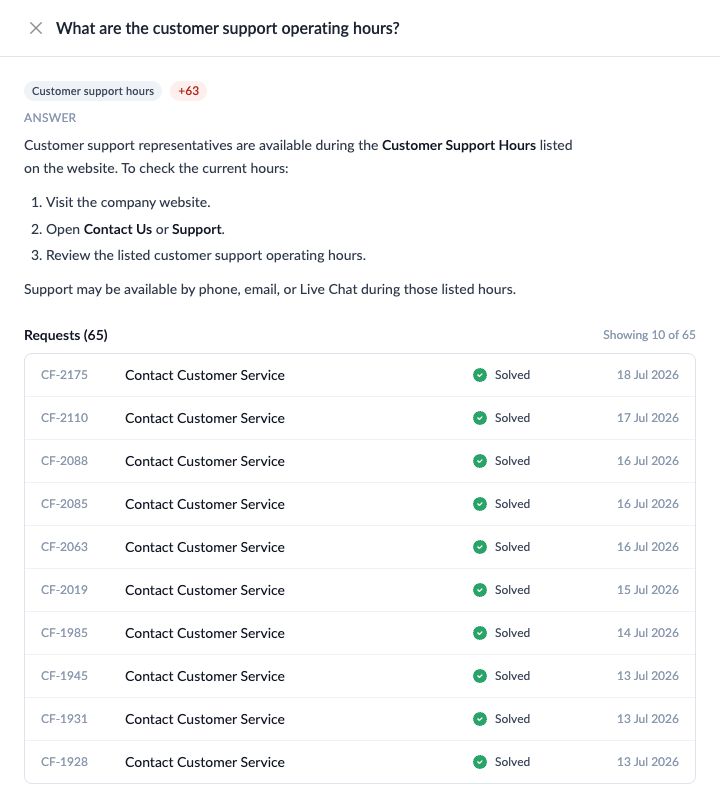
Open a query to review its generated answer and linked requests. The linked-request view shows up to ten of the most recent matching requests, along with the total matching count.